
The school day, shared between home and school
Lenke is one app for families, teachers, the nurse and the front office. It covers the questions everyone asks every day: who’s here, who’s picking up, what’s coming up, and what needs a reply.
Already using Lenke? Sign in

The four questions every school day asks
From the first hello to the last goodbye
-
7:58
Morning check-in
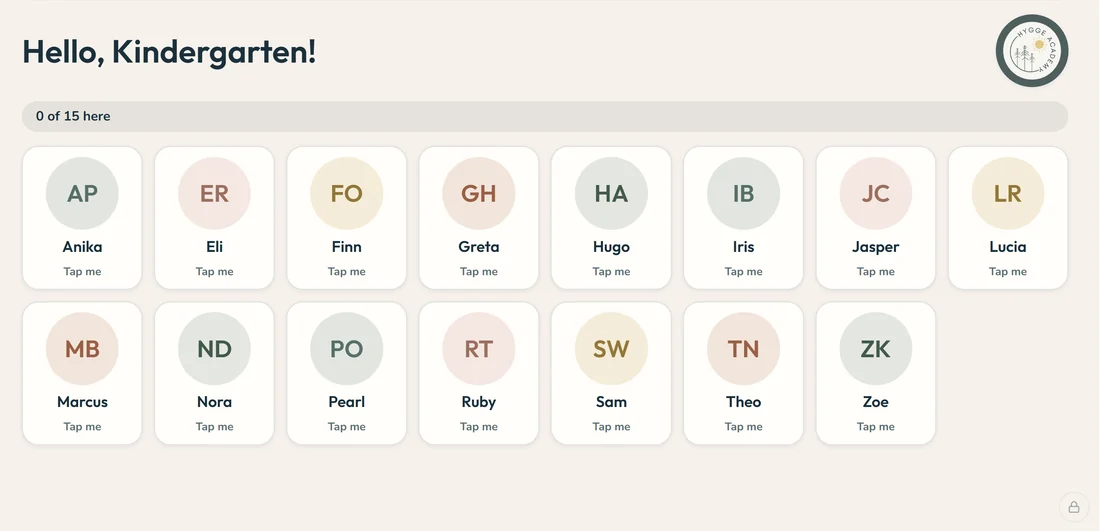
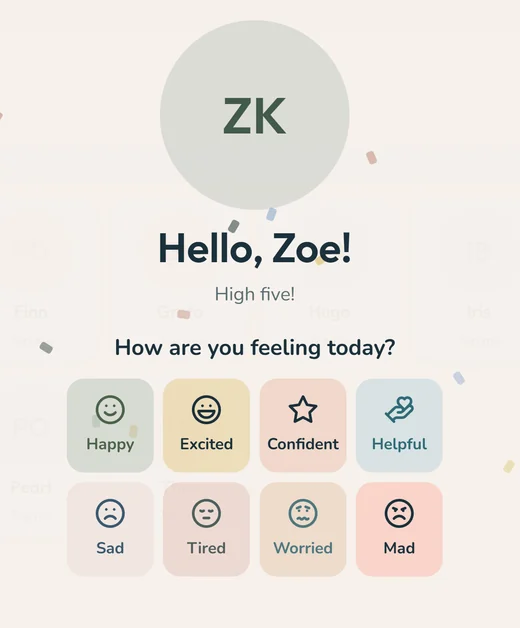
Children tap themselves in on the classroom screen and say how they’re feeling. If someone is sad, worried or mad, the teacher knows before the day starts.
Maya · Happy Leo · Worried -
8:05
Confirm in one tap
The teacher reviews who’s here and confirms them all. Families see “Here” right away.
18 here2 absent1 late -
10:40
Tell the room
Running late, home sick, or picking up early with Grandma? Families tell the classroom in a couple of taps, and the teacher and the office both see it.
Grandma · 1:30 -
12:15
The nurse’s desk
Health notes, allergies and incidents, with the right families and teachers kept in the loop.
Allergy notedFamily told -
3:05
Going home, sorted
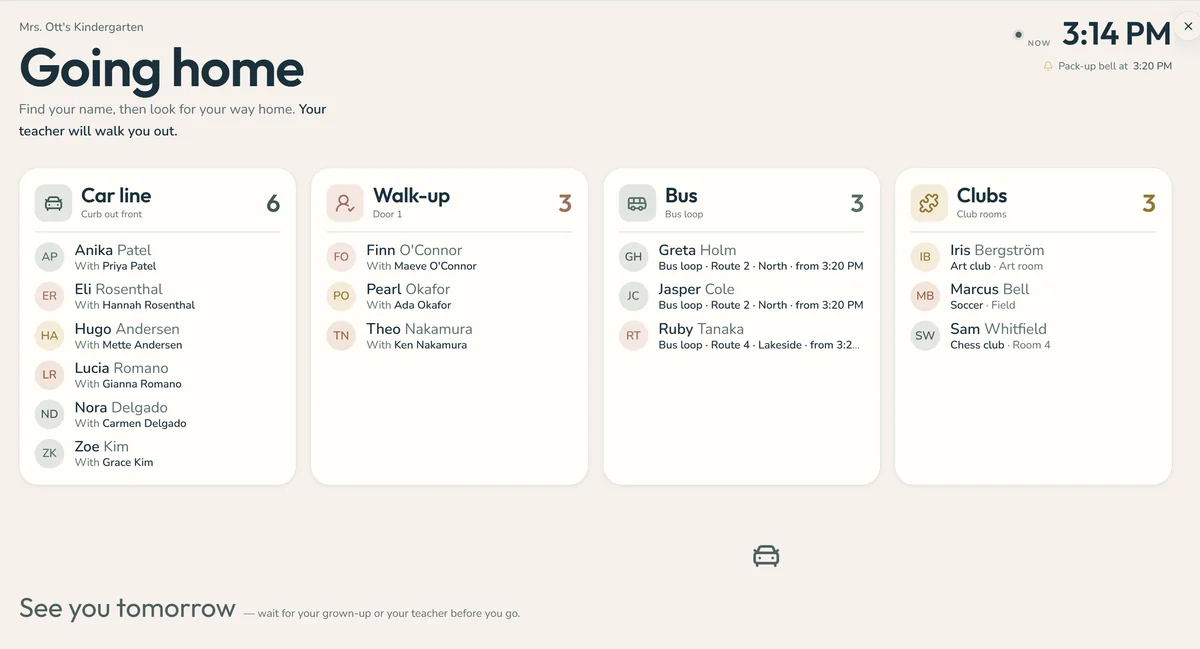
Every child grouped by how they’re getting home: car line, bus, walk-up, clubs, and who left early. Call or message a family from the same screen.
Car line 9 Bus 5 Walk-up 3 Clubs 2
Everyone sees what they need, and nothing more
Know your child’s day without chasing it
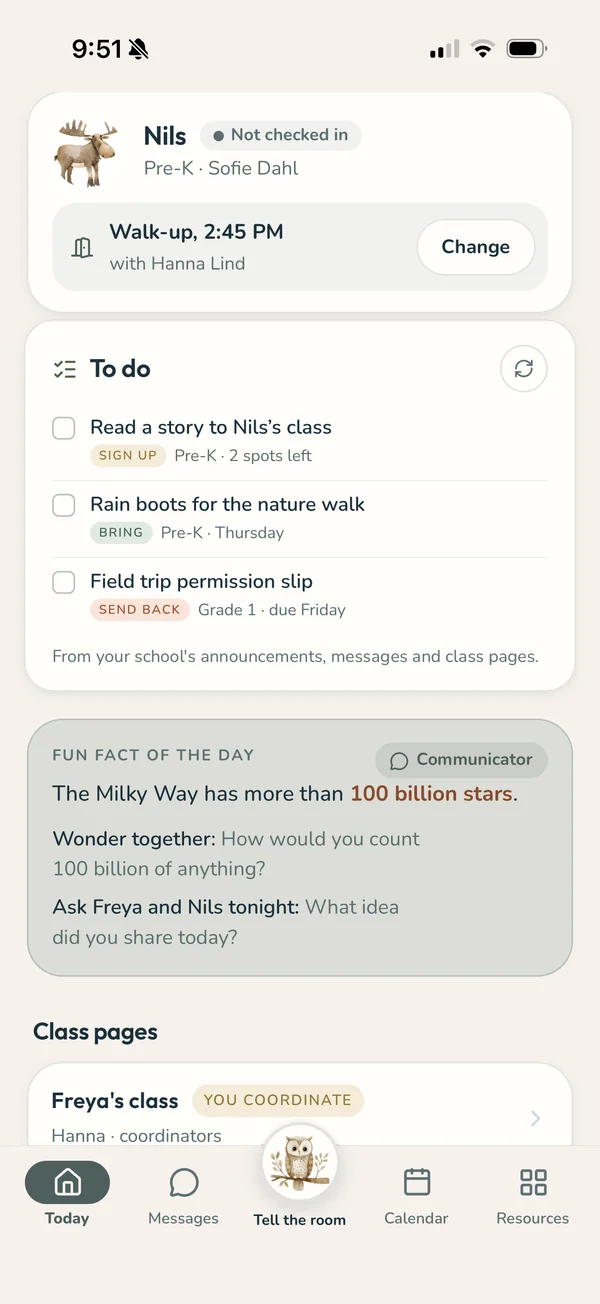
- Today at a glance. See whether your child has been checked in, how they’re getting home, and anything the school needs from you.
- Tell the room. Running late, home sick, or picking up early with Grandma? Tell the classroom in a couple of taps, and the teacher and the office both see it.
- One calendar. School events, class events and your synced school calendars in one place, with the details that matter for your family.
- A to-do list that keeps up. Sign-ups, forms, and things to bring on Friday, pulled from the school’s announcements and messages. Tick them off as you go.
- Talk to the teacher directly, and see class photos and updates as they happen.
- Your child, your way. Pick a photo or an avatar together. It’s what they’ll see when they check in at school.
Spend the first ten minutes on the kids, not the clipboard
- Morning check-in. Children tap themselves in on the classroom screen and say how they’re feeling. If someone is sad, worried or mad, you know before the day starts.
- Confirm in one tap. Review who’s here, confirm them all, and families see “Here” right away.
- Going home, sorted. At the end of the day, see every child grouped by how they’re getting home: car line, bus, walk-up, clubs, and who left early. Call or message a family from the same screen.
- One dashboard. Messages, announcements, photos and incident reports in one dashboard that works on a laptop or a phone.
The whole school, in one place
- Today for the office. Attendance, early pickups at the front desk, absences and late arrivals as they come in.
- Roster and staff. Children, families, classrooms and staff, kept in step with your school’s records.
- A school calendar that pulls in your existing calendars, each in its own color.
- The nurse’s desk. Health notes, allergies and incidents, with the right families and teachers kept in the loop.
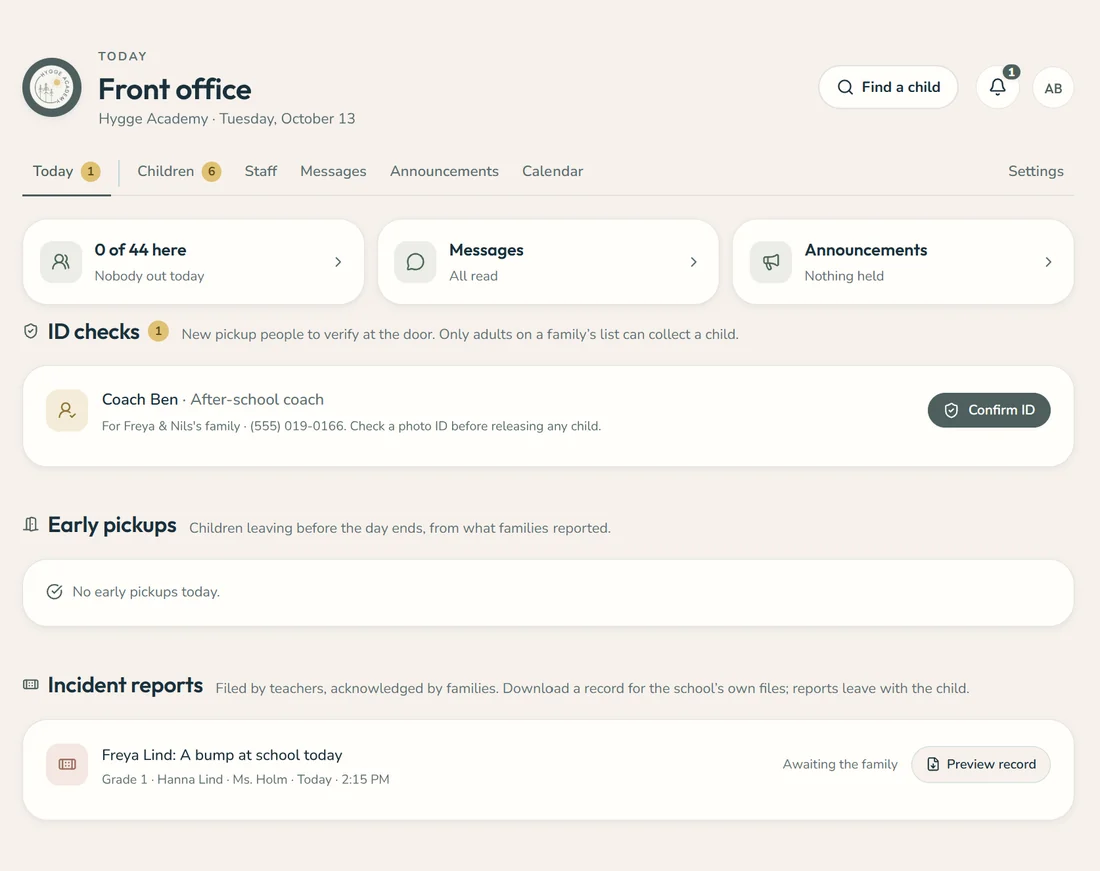
Names in every screen are made up.
Every screen answers one question: what does this person need right now?
Lenke was designed with teachers, office staff and families at a real independent school.
Calm, clear, and on every device.
 For schools
Bring Lenke to your school
- 1We’ll set up your school
- 2Bring in your roster
- 3And walk your staff through it
Lenke is made by Hygge Collective.